Services
Industries
ResultsPricingAboutBook a Call

CRM for home services, because the first company to respond books the job.

Your ads work. Your SEO is ranking. Leads are coming in. But if nobody responds for four hours, the homeowner already booked your competitor. We build your CRM inside the Localizr system, with speed-to-lead automations that respond in under 60 seconds, nights, weekends, and holidays included, so no lead dies in your inbox.

Book a Call
Why home services companies lose leads they already paid for

You are generating leads. You are just not responding fast enough to book them.

The lead that costs you the most came in at 7 PM on a Friday and sat in your inbox until Monday morning. By then the homeowner called three other companies, two responded within minutes, and one already has the appointment. You paid for that lead and handed the job to a competitor because nobody picked up the phone.

Harvard Business Review found that responding to a lead within five minutes makes you 21 times more likely to qualify them compared to waiting 30 minutes. Most home services companies respond in hours. Some never respond at all. The lead marketplace companies and larger competitors run automated systems that fire a text before the homeowner puts the phone down. You are competing against automation with a voicemail box, and the math does not work.

A form comes in from Meta. A call comes in from Google LSA. An email comes in from the site. Each one lands somewhere different: one in email, one in a spreadsheet, one in the LSA dashboard. Nobody has a single view of all leads. Nobody knows which ones were contacted, which ones are waiting, and which ones fell through. You are managing a sales pipeline on sticky notes and memory, and you are losing jobs because of it.

Your team calls the lead once. No answer. They move on. But that homeowner was at work, or driving, or on another call. They meant to call back but forgot. Without a follow-up sequence of texts, emails, and reminders over the next 48-72 hours, that lead is dead. Studies show that 80% of sales require five or more follow-up attempts, but most companies stop after one. Every lead you do not follow up with is a job you already paid to generate and then gave away.

Some contractors have no CRM at all, with leads living in email or a spreadsheet. Some have a CRM from a previous vendor that nobody understands or updates. Some tried setting up a platform like HubSpot themselves and stopped halfway because the setup is complex and there was nobody to configure it properly. The result is the same: no automation and no clear view of the pipeline, so leads slip through without a response.

Your ad agency does not know what happens after the lead comes in. Your CRM does not know which channel generated the lead. Nobody can tell you the cost per booked appointment because the data is split across three platforms that do not talk to each other. When marketing and the CRM are disconnected, you cannot see the full funnel, and you are guessing at your real cost per job.

How Localizr sets up CRM, automations, and AI for home services

A CRM configured for speed to lead, full pipeline tracking, and integration with every channel.

Speed to lead under 60 seconds.

When a lead fills out a form, calls your tracking number, or submits through Google LSA, the Localizr system fires a text message, an email, and a missed-call voicemail drop within 60 seconds. The homeowner gets a response before they close the browser tab. That single automation changes your booking rate more than any ad optimization will.

The initial contact is just the start. If the homeowner does not respond, a follow-up sequence kicks in with texts and emails over the next 48-72 hours, spaced out until they book or opt out. Nights, weekends, and holidays, the system keeps running. Your competitors are still working office hours.

Automations included: instant text response, email confirmation, voicemail drop, multi-day follow-up sequence, missed-call text-back, appointment reminders, no-show re-engagement.

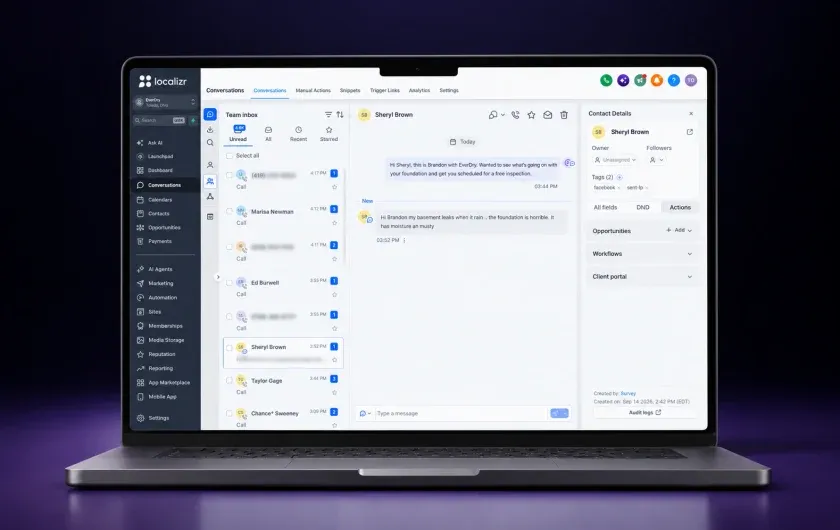
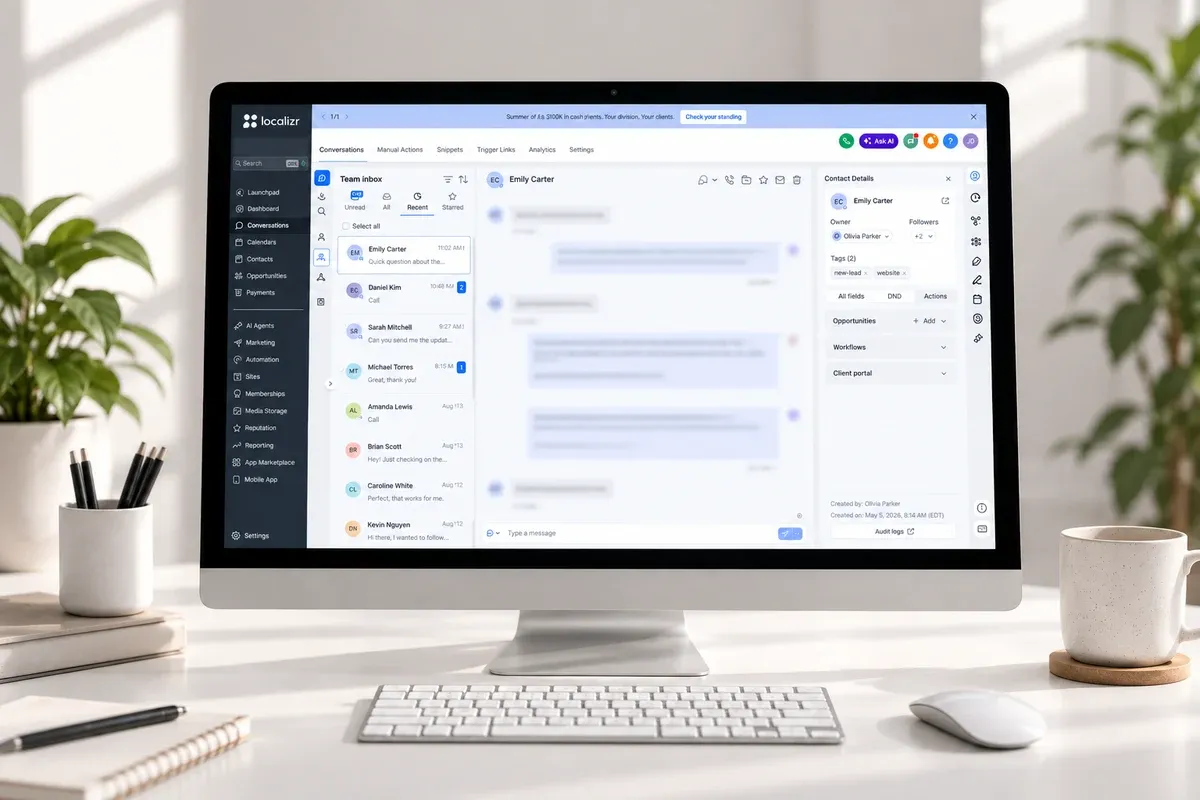
The Localizr CRM team inbox, with a homeowner conversation open

Every lead in one pipeline.

No more leads scattered across email, spreadsheets, and platform dashboards. Your CRM gives you a single pipeline view of every lead, every stage, every source. You can see which leads came from Meta, which from Google, which from organic. You can see which ones were contacted, which ones have appointments, and which ones are stuck. Your entire sales operation is visible in one screen.

Pipeline stages match your actual sales process. If your process goes Lead, Contacted, Appointment Set, Confirmed, Sat, Sold, that is what the pipeline reflects. If you use different stages, we build those. The CRM adapts to how you already sell.

Pipeline syncs with Localizr OS for cross-channel reporting: you see the CRM data alongside your ad spend and SEO performance in one dashboard.

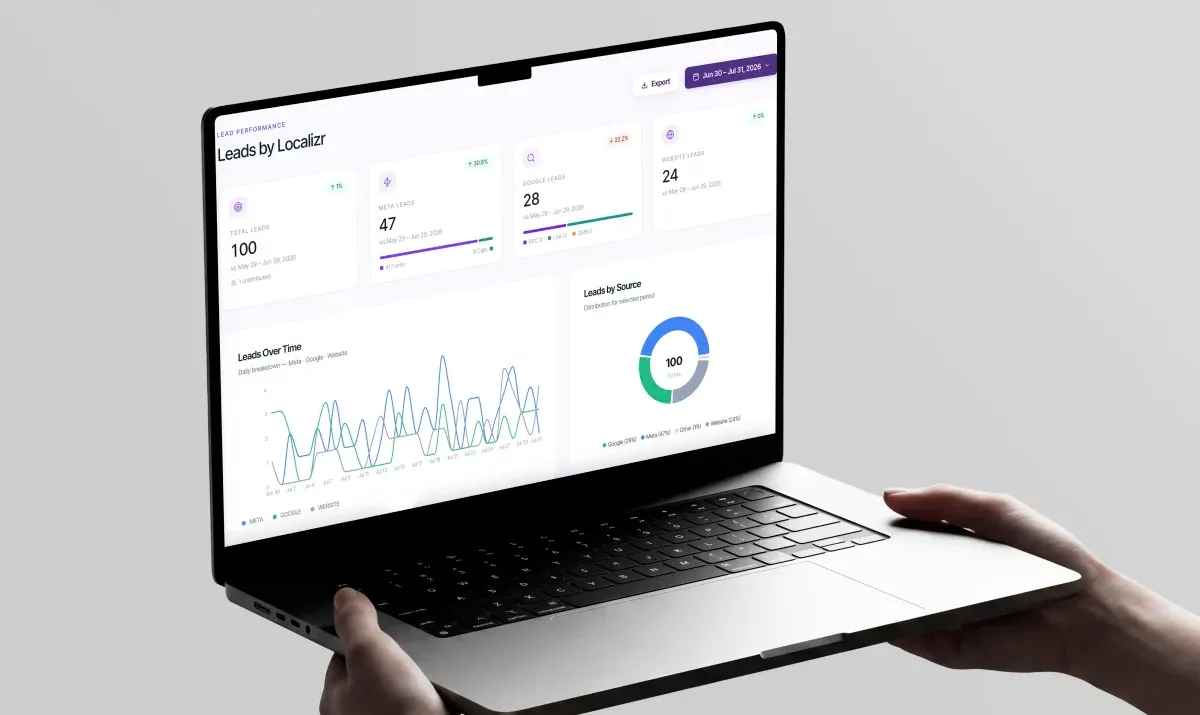
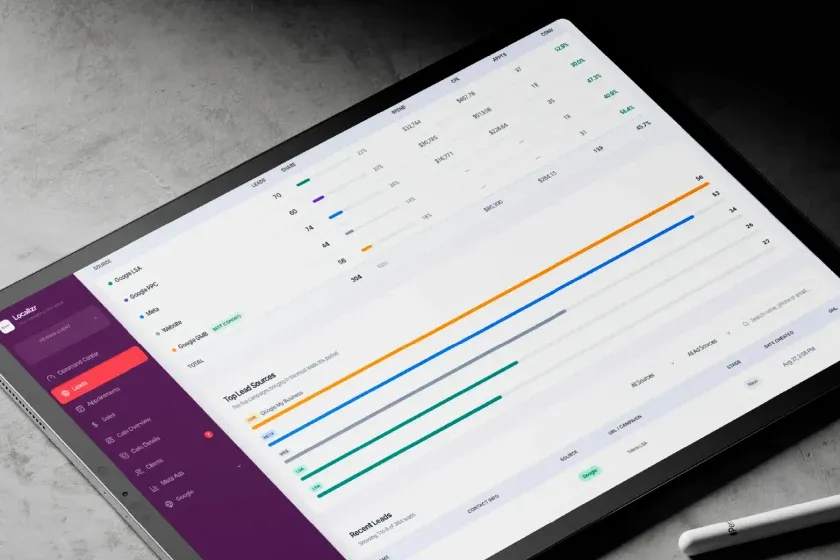
Every lead in one view, broken down by the channel that produced it

AI development, built around how your business actually works.

Automations follow rules. AI handles the part that will not fit in a rule: reading what a homeowner actually wrote, answering the question they asked, qualifying the lead before it reaches a person, and flagging the ones your team should call first. We build those agents on top of your pipeline, on your services, your service area, and the way your team already talks to customers.

When what you need does not exist off the shelf, we build it. Lead scoring on your criteria rather than a vendor's. An integration nobody sells between the Localizr system and the software your office already runs on. A summary of every conversation from the weekend waiting for your manager on Monday morning. That is development work, not a settings page, which is why it is in the name of the service.

Where the AI does the work: conversation handling and qualification, call and message summaries, lead scoring, routing and priority flags, and custom agents and integrations built for your operation.

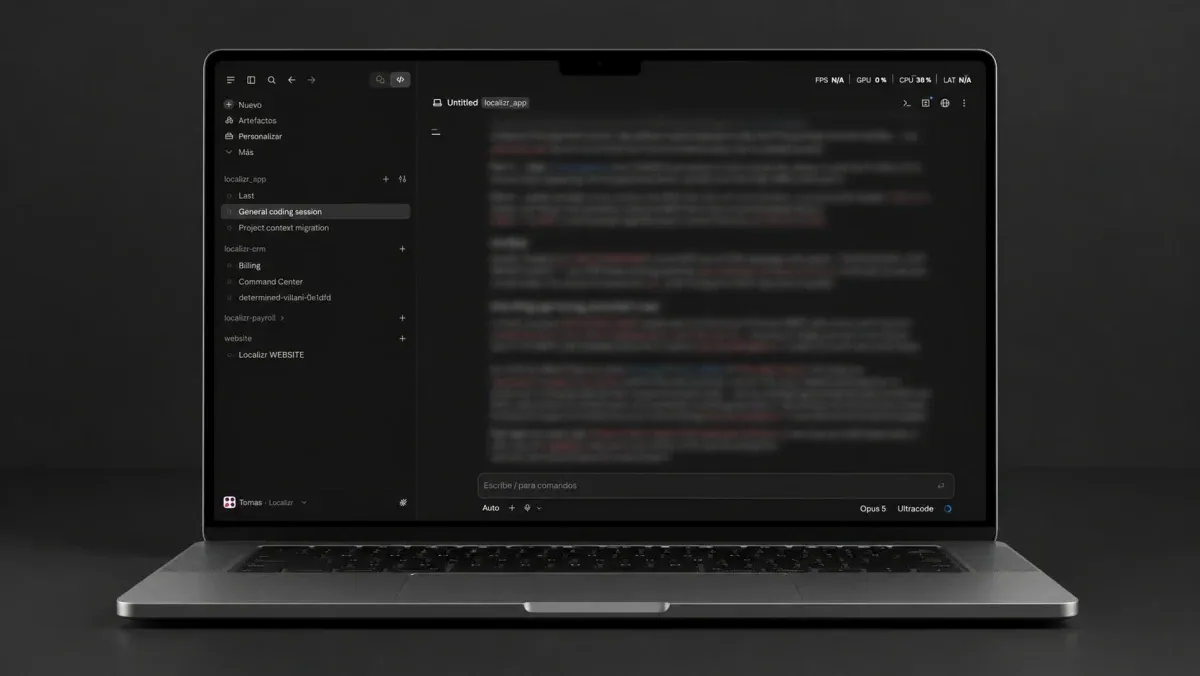
A custom agent being written for a client pipeline

Integrations with your existing tools.

Most home services companies already use other systems: LeadPerfection, ServiceTitan, Jobber, QuickBooks, or industry-specific software. We do not ask you to rip everything out. The Localizr system integrates with your existing stack so lead data flows where it needs to go. If your call center uses LeadPerfection, we set up the integration so leads route correctly. If your accounting runs on QuickBooks, we make sure the handoff works.

The CRM does not replace your operational tools. It sits at the front of the pipeline and makes sure every lead gets the fastest possible response and the clearest possible tracking. Once the lead becomes a customer, it flows into whatever system your operations team uses.

Common integrations: LeadPerfection, ServiceTitan, Jobber, Zapier, Google Sheets, webhooks for custom systems.

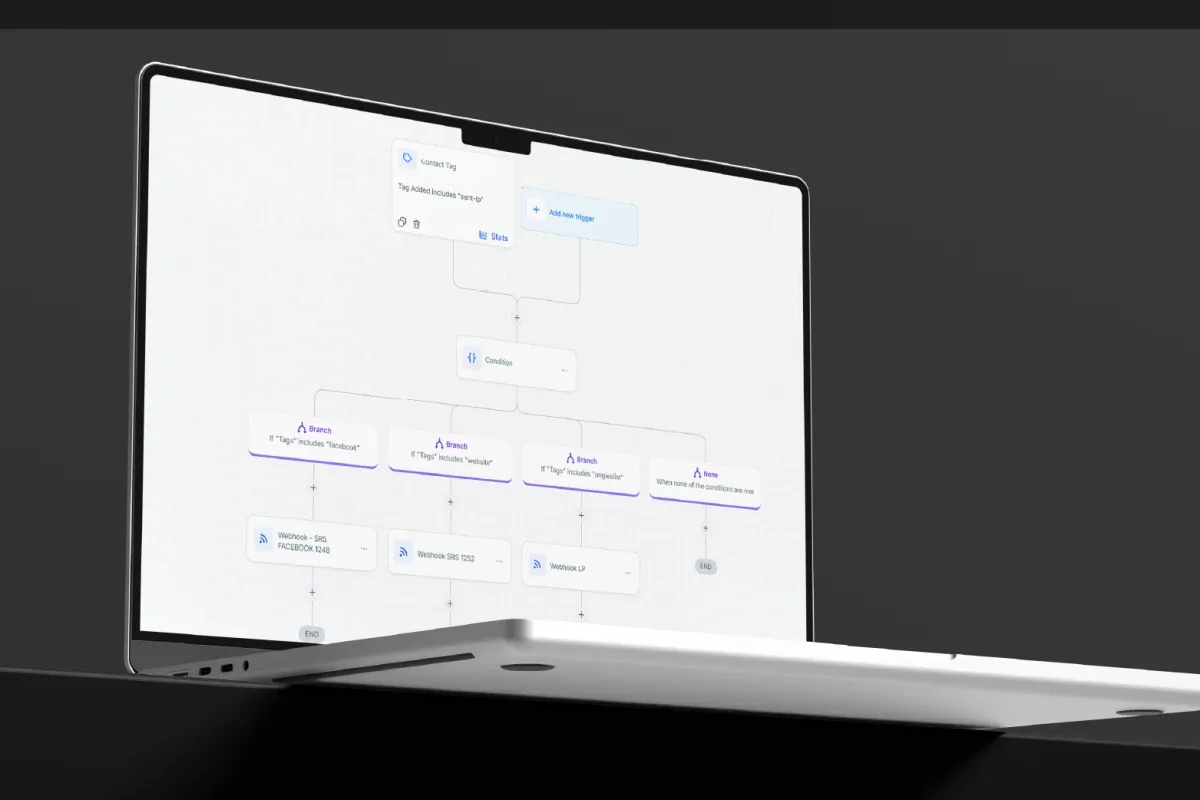
An automation routing a tagged lead out to the systems a client already runs

Connected to Localizr OS for full funnel visibility.

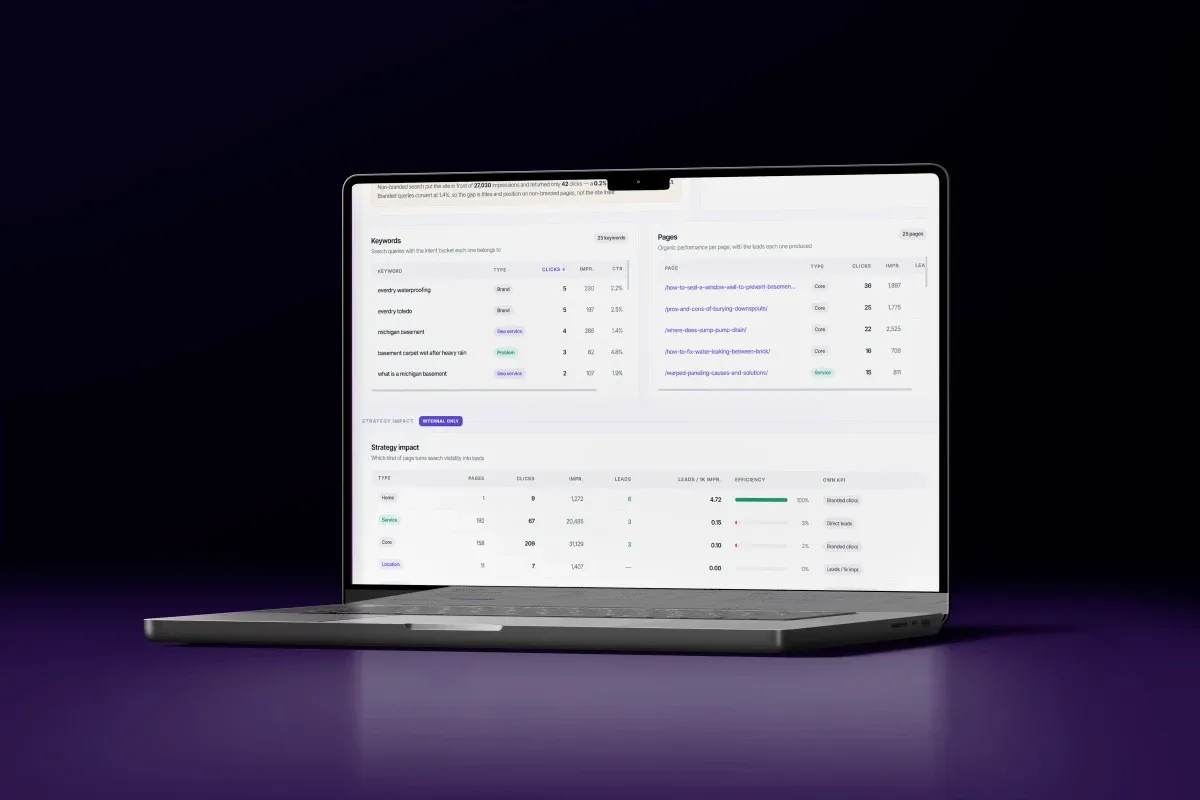
This is where the CRM becomes part of your growth system. Your pipeline data feeds into Localizr OS, so you see how many leads came in, what stage they are at, what they cost, which channel generated them, and the cost per booked appointment by source. Your marketing spend and your CRM data live in the same view.

That means when we say Meta booked 18 appointments this month at $52 each, we are pulling from the CRM, not estimating from click data. The numbers are real, verified, and available for you to check any time.

Localizr OS pulls from your CRM: lead count, pipeline stage, appointment status, source attribution, time to response, conversion rates.

Localizr OS reporting what each channel cost and how many leads it produced
What you get

Everything in Localizr CRM, automations, and AI development for home services.

Six workstreams, configured for your pipeline and connected to every channel.

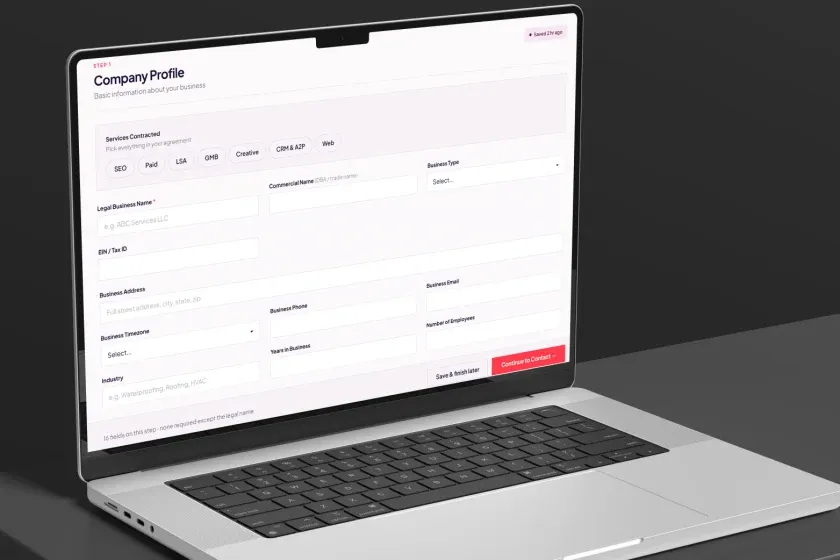
The onboarding form that configures a new CRM account
01

CRM setup and configuration

  • Full CRM account setup and configuration inside the Localizr system
  • Pipeline stages mapped to your actual sales process
  • Lead source tracking and UTM attribution
  • Custom fields for trade-specific data (job type, service area, project size)
  • User accounts and permissions for your team
The team inbox answering a homeowner, with the contact record open beside it
02

Speed-to-lead automations

  • Instant text response on form fill (under 60 seconds)
  • Email confirmation with next steps
  • Missed-call voicemail drop
  • Missed-call text-back
  • Multi-day follow-up sequences (text + email)
  • Appointment reminder sequences
  • No-show re-engagement automation
Leads by source and the most recent ones, on a tablet
03

Pipeline and lead management

  • Single pipeline view for all lead sources
  • Lead status tracking from first contact to booked job
  • Task assignment and internal notifications
  • Lead tagging by source, campaign, and service type
  • Conversation history (text, email, calls) in one thread per lead
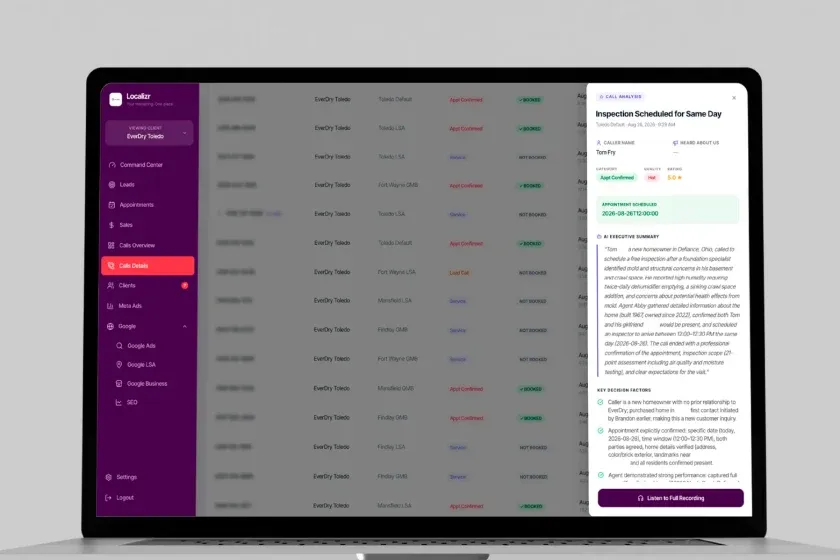
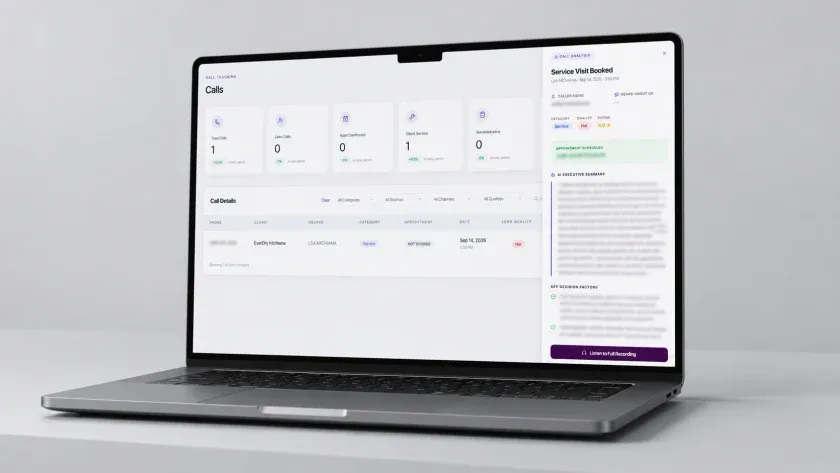
Call details routed from every connected source, with the AI analysis of one open
04

Integrations

  • LeadPerfection integration (for call center operations)
  • ServiceTitan / Jobber / industry CRM connections where applicable
  • Zapier and webhook integrations for custom workflows
  • Google Sheets export for reporting outside the platform
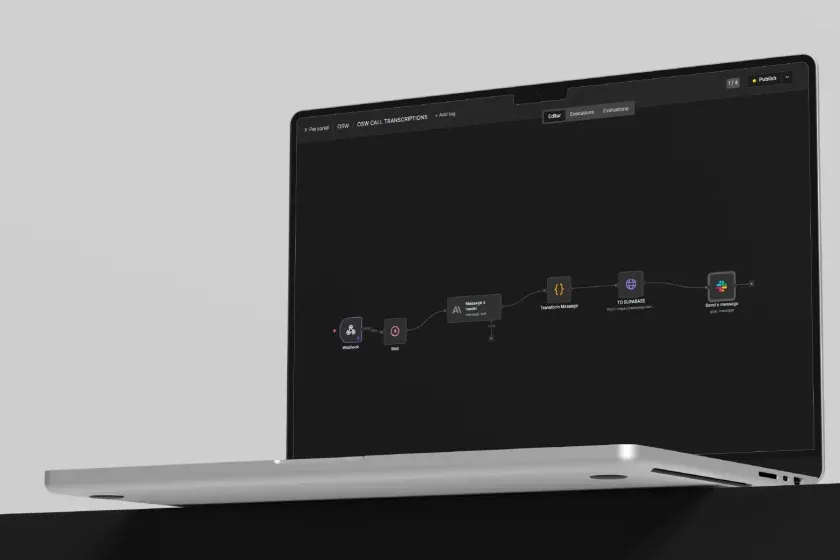
A custom AI workflow: inbound message, model, transform, and the action it fires
05

AI development

  • AI conversation handling on inbound texts and form replies
  • Lead qualification and scoring on your criteria, not a vendor's defaults
  • Call and message summaries written back to the lead record
  • Priority flags so your team calls the right lead first
  • Custom agents built for your intake, your trades, and your service area
  • Custom integrations and internal tools where nothing off the shelf fits
Call tracking with an AI summary and the booked service visit beside it
06

Reporting and tracking

  • Pipeline data synced to Localizr OS
  • Lead response time monitoring
  • Conversion rates by stage and source
  • Cost per booked appointment by channel (via Localizr OS)
  • Monthly CRM performance review on strategy calls

What CRM does Localizr use for home services companies?

Your CRM runs inside the Localizr system, the same platform that unifies your ads, leads, calls, and reporting. It is built for home services: native speed-to-lead automations, pipeline management, AI-assisted lead and call handling, and integrations with your existing tools. We configure it specifically for your trade, your markets, and your sales process.

What does AI development mean on a CRM engagement?

Two things. First, AI doing work inside your pipeline: reading and answering inbound messages, qualifying the lead, summarising calls, scoring and flagging which ones your team should call first. Second, building what does not exist off the shelf — custom agents, custom integrations, and internal tools shaped around your intake and your trades. It is configured on your services and your service area, not a generic chatbot pointed at your website.

What is speed to lead and why does it matter?

Speed to lead is the time between a lead submitting a form or calling and receiving a response. Research shows that responding within five minutes makes you 21 times more likely to qualify the lead. We automate the initial response to fire in under 60 seconds via text, email, and voicemail, so you are always the first company to respond.

Do I need to replace my existing CRM or software?

No. Your CRM sits at the front of the pipeline for lead response and tracking. If you already use LeadPerfection, ServiceTitan, Jobber, or another operational system, we integrate it so leads flow where they need to go. The CRM does not replace your operations tools. It makes sure no lead falls through before reaching them.

Can my team see and use the CRM?

Yes. Your team gets full access: user accounts, pipeline view, lead details, conversation history. We train your team on the system and provide documentation. The CRM is built for daily use by your sales and operations staff, not just the marketing team.

What happens to leads that come in after hours?

They get the same automated response as any lead: text, email, voicemail, and follow-up sequence. The system runs 24/7 including nights, weekends, and holidays. A lead at 9 PM Saturday gets the same 60-second response as a lead at 10 AM Tuesday.

How does the CRM connect to Localizr OS?

Your CRM pipeline data (lead count, stage, source, appointment status) feeds directly into Localizr OS. This means you see your CRM data alongside your ad spend and SEO performance in one dashboard. You can see cost per booked appointment by channel, conversion rates by stage, and response time metrics, all in one place.

What does CRM setup cost?

CRM setup and configuration is included in our engagement packages, with no separate setup fee. The configuration, automation building, pipeline design, and integrations are all part of the Localizr system, so there is no extra platform to buy or wire up on your side.

Book a Call

See how many leads you are losing to slow follow-up.

20 minutes, straight to your market
We audit your accounts before you sign
A plan and a clear number, no pitch deck
EverDry Waterproofing ToledoEverDry Waterproofing MichiganOhio State WaterproofingMagic City Remodeling

Home services companies across Ohio, Michigan, Indiana, Wisconsin, Pennsylvania, and South Florida.